Signs Your Laser Level Isn’t Working (and What to Do Before Sending It In)
- by admin
- in Construction Series
- on December 3, 2025
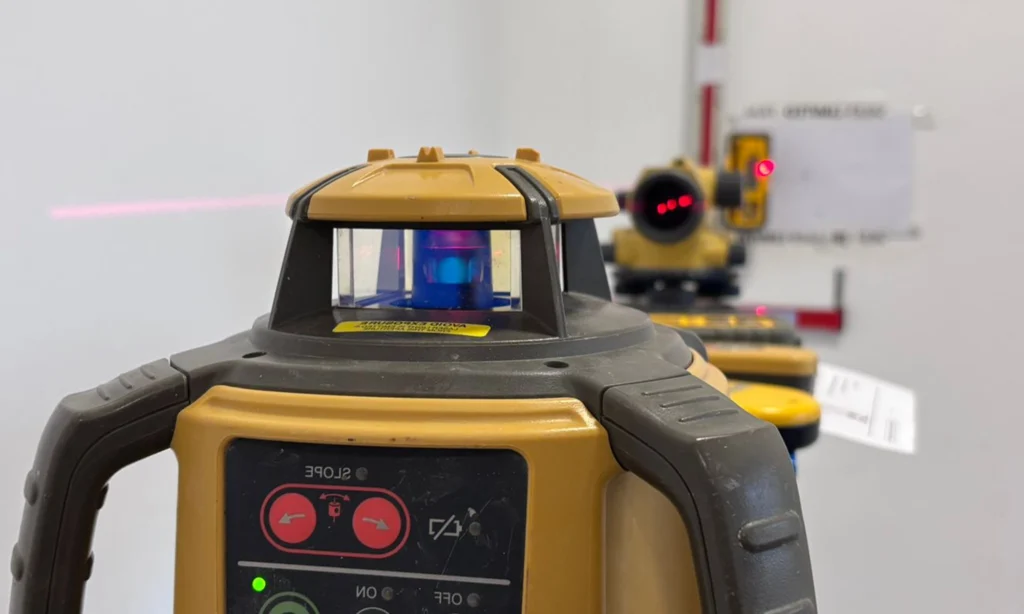
Laser levels are some of the simplest and most reliable tools on a construction site, yet they are also among the most commonly misused, knocked, and poorly stored instruments. Because they’re so easy to operate, many engineers assume that if the laser switches on and spins, it must be accurate. Unfortunately, that is not the case.
A laser level can appear to be functioning normally while being several millimetres — or even centimetres — out of calibration. A small error can quickly become a major problem when working on drainage, slab preparation, shuttering, kerb lines, structural elements, or any task where level accuracy is critical.
This guide outlines the most common signs that your laser level may be out of calibration, explains why problems occur, and provides simple checks you can do yourself before sending it in for service. These steps can help you avoid downtime, incorrect work, and unnecessary servicing costs.
Jump to: Signs your laser isn't correct | Why lasers go out of calibration | Quick checks to perform | When to send it in | Tips to extend the laser life | How JB Survey can help you
The Most Common Signs Your Laser Level Isn’t Working Correctly
Below are the symptoms engineers most frequently encounter when a laser has drifted out of calibration or is beginning to fail.
The Laser Won’t Self-Level at All
A laser that continually flashes or refuses to begin spinning is telling you:
• “I’m out of level.”
• “I’m damaged.”
• “Something is obstructing my compensator.”
This is often caused by:
• Being dropped (even from tripod height)
• Vehicle vibration during transport
• Being stored in a cold, damp van overnight
• Loose internal mounting
If it won’t self-level after a few seconds on a stable tripod, the instrument needs inspection.
Receiver Readings “Jump” or Flicker
If the receiver’s reading is unstable or suddenly jumps up or down:
• The laser’s rotating diode may be worn or damaged
• The compensator could be sticking
• There may be vibration interference
• Batteries may be low
Laser flicker can also occur when the laser is placed too close to:
• Heavy plant
• Vibrations from rollers, breakers, compactors
• Structural steel or rebar cages
A healthy laser should produce a clean, consistent beam signal detectable at long range.
You Constantly Have to Adjust the Tripod
If every time you walk back to check the tripod the bubble has moved:
• The tripod head may be worn
• The laser’s weight may be shifting the legs
• The ground may be soft
• The laser’s internal alignment may be off
Tripod instability creates the illusion of laser failure — always rule this out first.
Inconsistent Readings Across the Site
If the laser produces different readings in different areas of the site — even when conditions are similar — this is often a sign of:
• Calibration drift
• Internal compensator issues
• Instrument having been knocked or dropped
• Tripod instability
You may notice this when:
• Kerbs don’t match levels on opposite sides of a road
• Slab prep doesn’t sit evenly
• Drainage trenches appear to “wander” in depth
• Pegs set earlier in the day no longer match later readings
This inconsistency is a major red flag and should never be ignored.
The Beam Appears Dim or Hard to Detect
A dim laser beam could indicate:
• Failing diode
• Dirty or scratched glass
• Weak battery
• Internal contamination
A beam should be visible on the receiver at full working range. A dramatically reduced range usually means an internal issue.
The Laser Takes Longer Than Usual to Self-Level
Most modern lasers self-level within 5–20 seconds.
If you notice it now takes 30–60 seconds or more, the compensator may be:
• Dirty
• Impacted
• Sticking
• Wearing out
This is one of the earliest signs of internal failure.
Why Laser Levels Go Out of Calibration
Laser levels are robust tools, but they are finely tuned optical instruments with delicate internal compensators. The most common causes of failure include:
Impact or Rough Handling
Even a small impact can shift the laser’s internal alignment.
Typical site scenarios include:
- Knocking the tripod
- Transporting in a van without padding
- Dropping the instrument
- Carrying it by the head instead of the base
- Letting it roll around in a vehicle
Unlike GNSS or total stations, lasers are often treated like rugged tools — but they require the same care.
Daily Vibration Exposure
Continuous vibration from:
- Rollers
- Excavators
- Compacting equipment
- Lorries passing nearby
- Road saws
…can slowly degrade the compensator or affect accuracy.

Temperature Extremes
Lasers are sensitive to:
- Freezing conditions
- Excessive heat in vans
- Extreme humidity
Sudden temperature changes can cause condensation inside the instrument, affecting electronics and optics.
Age and Wear
Over time, diodes weaken, bearings loosen, and compensators wear. Older lasers naturally drift more frequently.
Quick Checks to Perform Before Sending It for Service
You can save time and money by performing these checks yourself.
If the laser passes these checks but still behaves inconsistently, it should be serviced immediately.
Perform a Two-Peg Test (The Industry Standard)
The two-peg test measures accuracy across a known distance.
Steps:
1. Place two pegs 30 metres apart.
2. Set the laser near Peg A, take a reading on Peg A and Peg B.
3. Move the laser to Peg B, take readings again.
4. Compare the differences.
If the deviation is more than ±2mm over 30m, the laser is out of tolerance.
Check the Receiver Battery and Staff
• Low batteries cause erratic readings
• Cracked or bent staffs produce false heights
• Ensure the receiver bracket is tight and not flexing
Inspect the Laser Housing and Glass
Look for:
• Cracks
• Dirt
• Condensation
• Scratches
• Loose protective caps
Dirty optics reduce beam strength dramatically.
Check the Tripod Stability
• Tighten all clamps
• Test on firm ground
• Replace worn feet or loose heads
• Check for movement when lightly pushed
A surprising number of “faulty lasers” are actually faulty tripods.
Move Away From Site Interference
Make sure the laser is not placed near:
• Large metal objects
• Generators
• Rebar
• Machinery
• Vehicles
Move to an open, vibration-free area to test accurately.
When You Should Send It for Service
Send the laser for professional calibration/service when:
• The two-peg test fails
• The compensator sticks
• The beam is dim
• The laser won’t self-level
• The instrument was dropped
• Accuracy is inconsistent across the site
• You rely on the instrument for precision work
A professional service will include:
• Clean and alignment of optics
• Compensator testing and adjustment
• Diode output testing
• Seal and housing inspection
• Full calibration certificate
Tips to Extend the Life of Your Laser Level
• Keep it in its case when not in use
• Avoid leaving it in a cold van overnight
• Don’t carry it on the tripod
• Store the tripod with legs together and clamps secure
• Let it acclimatise to temperature before use
• Keep batteries charged and remove them for long-term storage
A well-looked-after laser can last 10+ years and remain highly reliable.
Final Thoughts
A laser level is one of the most deceptively simple tools on a construction site.
It’s also one of the most important.
Small inaccuracies cause major cost implications — and most laser failures begin subtly, with symptoms engineers often overlook. By understanding the early warning signs, performing quick on-site checks, and knowing when to call for professional servicing, you can prevent costly mistakes and avoid downtime.
Think you need a calibration?
JB Survey can help:
Full laser calibration
Book your service for a full calibration, check and clean - all makes and models done in house
In a hurry?
We can offer a while-you-wait service at our Edenbridge branch on most makes. Standard turn around is 3-4 days
Hire replacements available
We have a full fleet of rotating, dual and pipe lasers available for collection or delivery while yours is with us
Subscription servicing options through ServicePlus
Why not try out our new subscription service. Set monthly rate and priority support included

Tags: Calibration, Construction, Laser Care, Laser Errors, Laser Levels